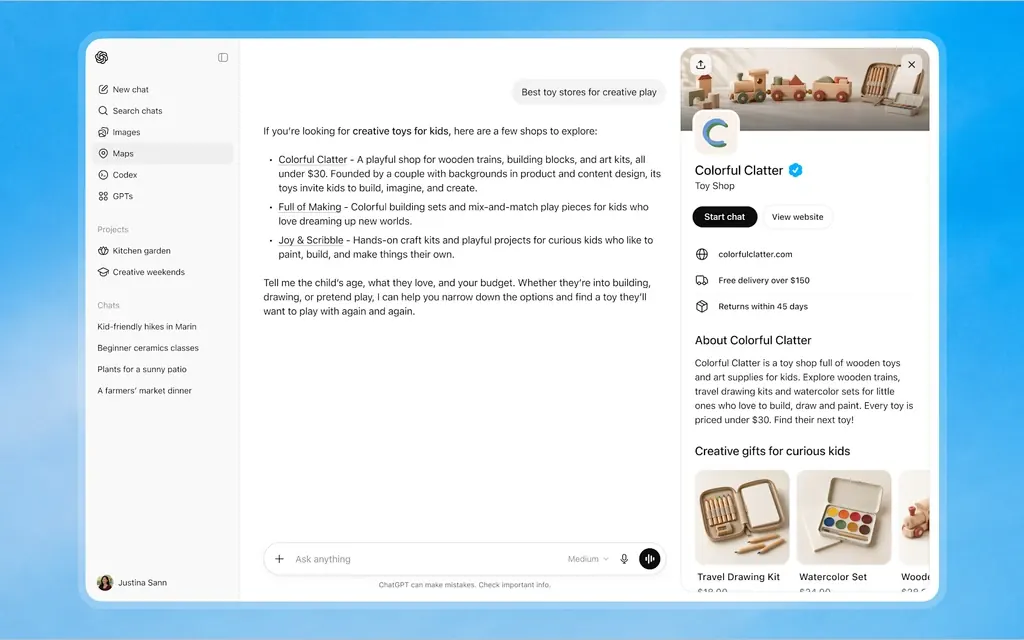
On November 10, 2026, OpenAI launched Businesses in ChatGPT in beta. To claim your business, sign in to ChatGPT, open Business Hub from the sidebar, search for your business by name and verify that you represent it. Once you're approved, you can update your details and see how often ChatGPT mentions you.
What is Businesses in ChatGPT?
Businesses in ChatGPT is a set of tools for managing how your business appears in ChatGPT, which OpenAI says 1.2 billion people use each week. It has three parts: a profile you claim and keep current, insights on how people find you, and Business Agents that answer customer questions for you.
If you've set up a Google Business Profile, the idea will feel familiar. Not every part is open to every business yet:
| Part | What it does | Who can use it now |
|---|---|---|
| Claimed profile | Update your website, description, category, logo and policies | Eligible businesses with a website; local stores and restaurants need an existing U.S. listing |
| Insights | Mentions, website clicks and discovery topics | Claimed businesses that pass identity verification |
| Business Agent | A labeled chat that answers questions about your products and policies | Eligible ecommerce and online service businesses in the U.S. |
Who can claim a business in ChatGPT right now?
You can claim a business if you own it or are authorized to represent it, and it's eligible. OpenAI's claim page says eligibility depends on industry, location and its verification and integrity checks, and that claiming is initially available to eligible businesses with a website.
Local stores and restaurants can currently claim only an existing U.S. listing, according to OpenAI's help article. If ChatGPT doesn't already have a listing for your location, you can't add one yet. Eligible online businesses may see an option to add theirs.
OpenAI doesn't mention service-area businesses such as plumbers or cleaners by name. Either way, start by searching for your business in Business Hub to see whether a listing comes up. OpenAI's policy says some business categories are being held back until it can support them.
How do you claim your business in ChatGPT?
Sign in to ChatGPT, open Business Hub from the sidebar, find your listing and prove you represent the business. There are two separate checks: one to claim the listing and an identity check before you can publish any changes.
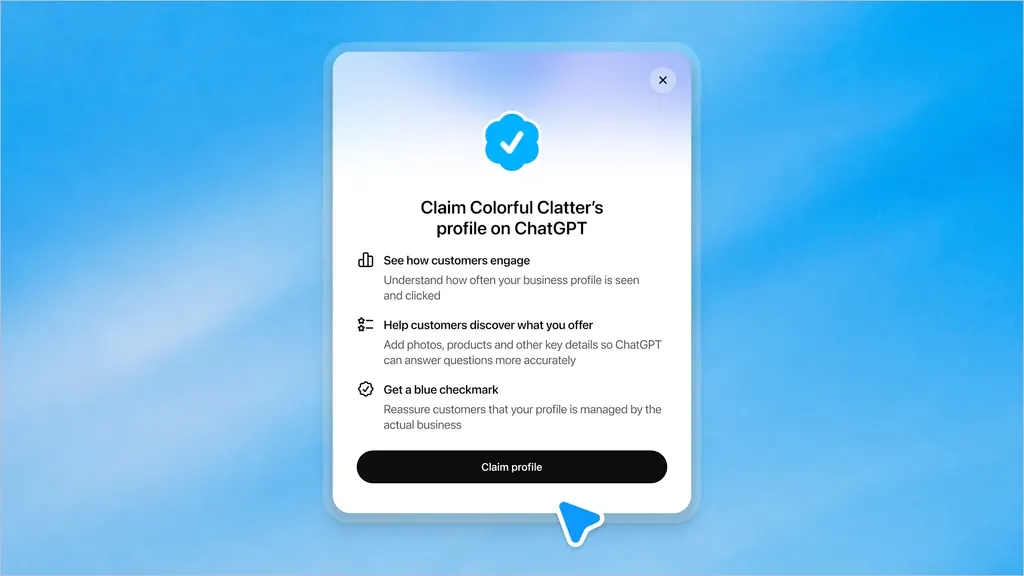
- Find your listing. In Business Hub, search for your business by name, select the listing that matches and confirm the ChatGPT account you'll manage it with.
- Verify your claim. Use one of the methods offered for your business: a code sent to your business phone by text or automated call, a code sent to your business email, a TXT record added to your website's DNS settings, or a Shopify connection.
- Wait for approval. OpenAI reviews the claim and emails its decision or a request for more information.
- Verify your identity with Persona. Persona is the identity-check service OpenAI uses. You may need a government-issued ID, business registration information and proof that you're authorized to represent the business. The blue check appears only after this step is approved, not from claiming alone.
- Update your details. After Persona is approved, you can publish changes, connect a product feed and open your insights.
What can you change once you're verified?
You can update your website, business description, product or service category, logo, delivery policy and return policy, and add a cover photo and other optional details. If you sell products, you can also connect a product feed with prices and availability, either from Shopify or as a CSV file.
Two limits apply. OpenAI reviews changes before publishing them, so updates can take time to appear. And the help article says ChatGPT may also use other sources when it answers questions about your business. Your profile is one input, so your website and your other listings still need to say the same thing.
What do the Business Hub insights show?
Insights show aggregate activity over the past 28 days: how often ChatGPT mentioned your business, how many people clicked through to your website, and discovery topics, which are the common themes in answers that mentioned or cited you. You see totals, not conversations.
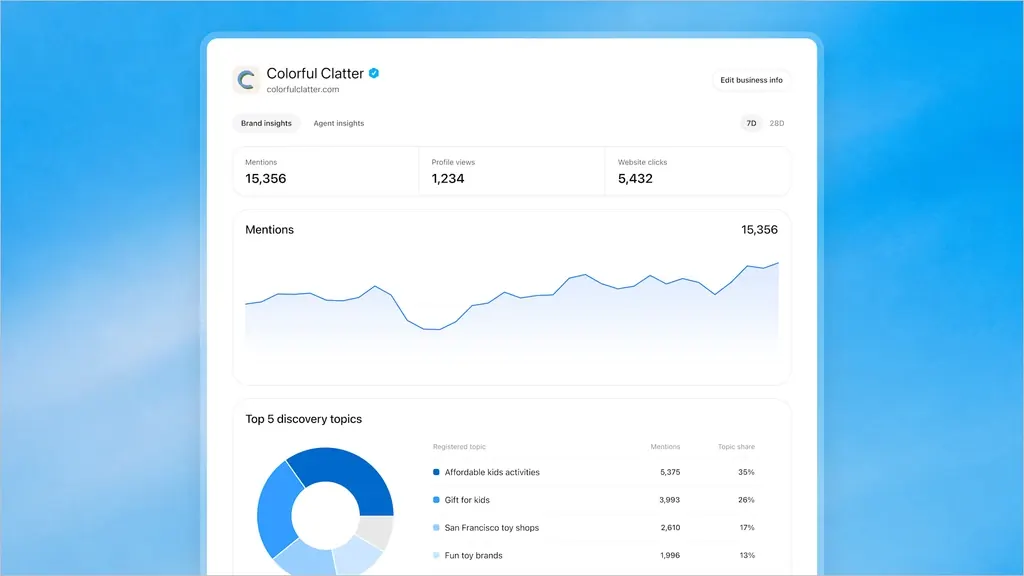
How a mention is counted depends on the kind of business:
- Local business: a mention counts when ChatGPT shows a result for your location, even if the customer doesn't open the listing or visit your website.
- Online business: a mention counts when ChatGPT references your website. Your brand name alone doesn't count.
A blank number doesn't necessarily mean zero. OpenAI only reports a metric once activity passes a threshold, a privacy protection that also means a small business may see gaps at first.
What is a Business Agent, and can a local business get one?
A Business Agent is a chat inside ChatGPT that answers questions using your product and policy information. For now it's limited to eligible ecommerce and online service businesses in the U.S. with a website, so most local service businesses can't publish one yet.
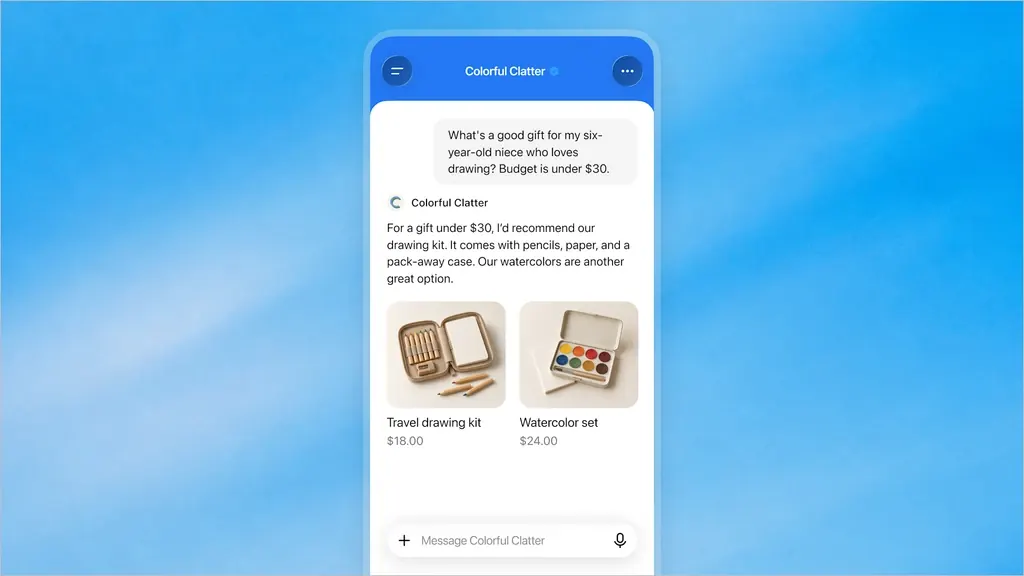
When a business appears in an answer, people can open its profile and, if an agent exists, choose to start a chat. OpenAI says that chat is clearly labeled and kept separate from ChatGPT's own answers. The agent can explain products and policies and link to your website. It can't complete purchases, make bookings or check an order.
Passing verification doesn't guarantee an agent: the Business Agents Policy says OpenAI also looks at the business category and how the agent will be used. OpenAI says it plans to expand agents to more markets and business categories over time, without giving dates.
Does claiming your business make ChatGPT recommend it more?
No. OpenAI says claiming lets you manage the information you provide, but it doesn't guarantee more visibility or give you control over ChatGPT's independent recommendations. Its claim page adds that ChatGPT may show information about your business whether or not you have an agent, and that advertising doesn't influence its independent answers.
Claiming fixes accuracy and gives you numbers. Because ChatGPT also draws on other sources, the rest still matters: a clear website, consistent listings and reviews, and pages AI tools can read. Our guide to getting your local business mentioned by ChatGPT covers that work, and it's the core of our AI search visibility service.
What should a small business do now?
Check whether you have a listing and claim it if you do.
- Search for your business in Business Hub. If a listing exists, start the claim. If it doesn't and you're a local store or restaurant, there's nothing to claim yet, so check again later.
- Pick the verification method you control. The phone and email options send a code to your business's own number or address. If someone else manages your domain, ask them to add the DNS record.
- Finish the Persona check. Without it you can't publish changes, see insights or get the blue check.
- Make the profile match everything else. Use the same business name, website and description you use on your site and listings.
- Look at insights after a month. Discovery topics show the themes you appear under, which is a useful list of subjects your website should cover well.
What we don't know yet
This is a beta, and two things are still open as of November 2026:
- Price. None of OpenAI's launch pages mentions a fee for claiming a business or publishing an agent.
- Local coverage. OpenAI hasn't said when local businesses without an existing listing can add one.
Frequently Asked Questions
Do I need to run ads or publish an agent to claim my business?
No. OpenAI says claiming, publishing an agent and advertising are separate, and you don't need an Ads account or a ChatGPT Enterprise agreement to claim. Once your claim and Persona verification are approved, you can manage your information and use insights without doing either.
Can my marketing agency manage the profile for me?
Yes. The admin who claimed the business can add teammates in Business Hub and grant an agency access to manage the business or its agent. Each person uses their own ChatGPT account.
What if someone else already claimed my business?
Open the profile, select the more options menu, then Dispute ownership, and verify with Persona that you're authorized to represent the business. OpenAI says disputing ownership doesn't change the profile's visibility in ChatGPT.
Does claiming my main brand cover all my locations?
No. OpenAI says claiming the main brand doesn't claim its locations, and managing several brands or locations from one place isn't available yet.